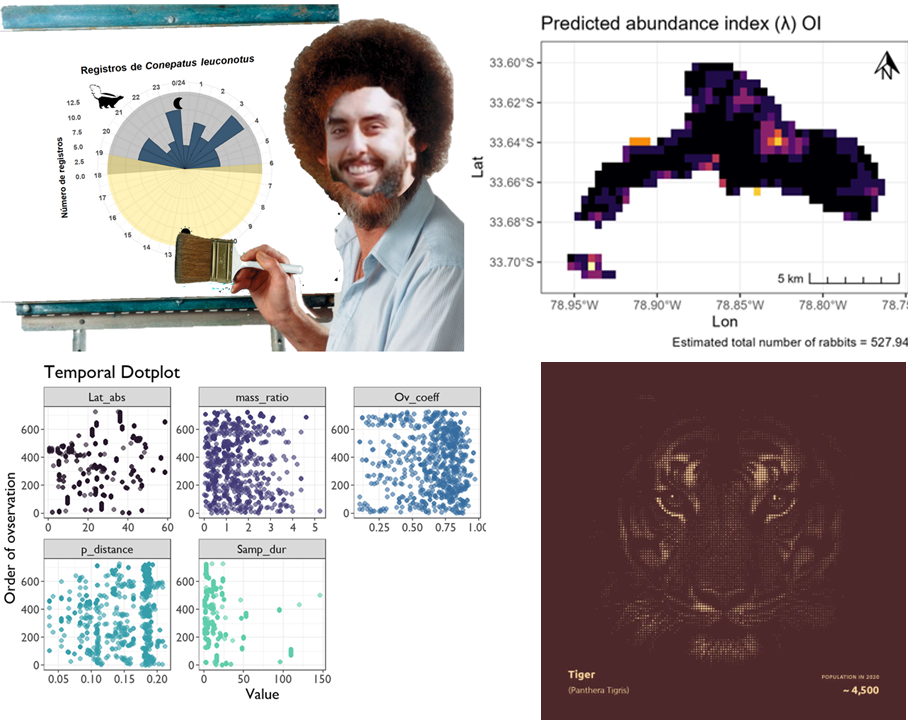
Visualization, Debugging, and Data Manipulation
Session 3
Visualization, Debugging, and Data Manipulation
Session 3
Today we will connect three skills:
visualize data
      ↓
recognize and solve problems
      ↓
manipulate data with dplyr
Today is mostly practice
We will not cover every detail from Modules 5, 6, and 7.
The website contains the full explanations.
Today we will focus on the most important tools you need to keep working with your own data.
Load the data
Open your intro-r-course project.
Create a script called:
session-03.Rinside the scripts/ folder.
Then run:
library (tidyverse)<- read_csv ("data/recordTable.csv"
Always inspect first
Before plotting or manipulating data:
head (recordTable)dim (recordTable)names (recordTable)str (recordTable)Ask:
What does one row represent?
What are the variables?
Which columns are numeric?
Which columns are categorical?
The logic of ggplot2
Most plots follow the same structure:
In R:
ggplot (data = my_data,aes (x = variable)+ geom_something ()
There are many more options depending on what you want to explore or communicate with your data. If you want to go further, I recommend visiting these two websites: R Charts & R Graph Gallery |
Bar plots
Question:
How many records do we have for each species?
ggplot (data = recordTable,aes (x = Species)+ geom_bar ()
geom_bar() counts observations automatically.
Make it readable
ggplot (data = recordTable,aes (x = Species)+ geom_bar (fill = "steelblue" ) + coord_flip () + labs (title = "Camera-trap records by species" ,x = "Species" ,y = "Number of records" + theme_bw ()
Histograms
Question:
How many images are usually associated with one record?
ggplot (data = recordTable,aes (x = n_images)+ geom_histogram (binwidth = 1 ,fill = "steelblue" ,color = "white" + theme_bw ()
Zooming without changing the data
ggplot (data = recordTable,aes (x = n_images)+ geom_histogram (binwidth = 1 ,fill = "steelblue" ,color = "white" + coord_cartesian (xlim = c (1 , 20 )+ theme_bw ()coord_cartesian() changes what we display, not the original data.
Mapping vs. setting
Setting:
geom_point (color = "steelblue" )Every point has the same color.
Mapping:
geom_point (aes (color = Species)Color represents a variable.
Common aesthetics
We can map or set:
color
fill
shape
size
alpha
Example:
ggplot (aes (x = N_individuals,y = n_images,color = Species+ geom_point (alpha = 0.4 )
Focus on a few species
Sometimes a plot is easier to read if we focus on fewer groups.
<- c ("White-tailed deer" ,"Armadillo" ,"Racoon" ,"Hog" ,"Virginia opossum" <- recordTable[$ Species %in% common_species,
Scatterplots
Question:
Are records with more individuals associated with more images?
ggplot (data = common_records,aes (x = N_individuals,y = n_images,color = Species+ geom_point (alpha = 0.4 ,size = 2 + theme_bw ()
From raw records to summaries
Sometimes we need to summarize before plotting.
For example:
<- recordTable |> count (|> filter (%in% common_species
# A tibble: 62 × 3
   Station   Species               n
   <chr>     <chr>             <int>
 1 Control 0 White-tailed deer     1
 2 Control 1 Armadillo             6
 3 Control 1 Hog                   7
 4 Control 1 Racoon               12
 5 Control 1 Virginia opossum      2
 6 Control 1 White-tailed deer    29
 7 Control 2 Armadillo           182
 8 Control 2 Hog                 210
 9 Control 2 Racoon               99
10 Control 2 Virginia opossum     73
# ℹ 52 more rows
Now each row represents:
one station × one species
Boxplots
ggplot (data = sp_counts,aes (x = Species,y = n,fill = Species+ geom_boxplot (show.legend = FALSE + scale_y_log10 () + coord_flip () + theme_bw ()Here, the data are still counts.
Only the axis is displayed on a log scale.
Combining geometries
#| eval: true ggplot (data = sp_counts,aes (x = Species,y = n,fill = Species+ geom_violin (alpha = 0.5 ) + geom_boxplot (width = 0.15 ) + geom_jitter (width = 0.15 , alpha = 0.6 ) + scale_y_log10 () + coord_flip () + theme_bw ()Each + adds a new layer.
Which plot should I use?
one categorical
bar plot
one numeric
histogram
two numeric
scatterplot
categorical + numeric
boxplot or violin plot
Start with the question:
What do I want to show?
Saving plots
<- ggplot (aes (x = Species)+ geom_bar (fill = "steelblue" ) + coord_flip () + theme_bw ()ggsave (filename = "outputs/species_records.png" ,plot = species_plot,width = 8 ,height = 6 ,dpi = 300
Data manipulation
Now we move from:
plotting raw data
to:
preparing data for questions
We will use dplyr.
Many dplyr functions are verbs.
Important dplyr verbs
select()choose columns
filter()choose rows
arrange()sort rows
rename()rename columns
mutate()create columns
count()count observations
group_by()create groups
summarise()calculate summaries
Select columns
select() works with columns.
<- recordTable |> select (
# A tibble: 3,898 × 5
   Station   Species           N_individuals Age     n_images
   <chr>     <chr>                     <dbl> <chr>      <dbl>
 1 Control 0 White-tailed deer             0 Unknown        1
 2 Control 1 Armadillo                     1 Adult          2
 3 Control 1 Armadillo                     2 Unknown        2
 4 Control 1 Armadillo                     1 Unknown        1
 5 Control 1 Armadillo                     1 Unknown        1
 6 Control 1 Armadillo                     1 Adult          2
 7 Control 1 Armadillo                     1 Adult          1
 8 Control 1 Bug                           1 Adult          1
 9 Control 1 Bug                           1 Adult          2
10 Control 1 Bug                           1 Adult          1
# ℹ 3,888 more rows
Filter rows
<- recordTable |> filter (== "White-tailed deer"
# A tibble: 1,266 × 25
   RootFolder      File  RelativePath Station Camera DateTime            Species
   <chr>           <chr> <chr>        <chr>   <chr>  <dttm>              <chr>
 1 Field Station … DSCF… "Control 0\… Contro… Contr… 2025-05-15 14:53:20 White-…
 2 Field Station … DSCF… "Control 1\… Contro… Contr… 2025-06-04 21:02:19 White-…
 3 Field Station … DSCF… "Control 1\… Contro… Contr… 2025-06-09 23:34:22 White-…
 4 Field Station … DSCF… "Control 1\… Contro… Contr… 2025-06-10 00:34:24 White-…
 5 Field Station … DSCF… "Control 1\… Contro… Contr… 2025-06-16 09:39:38 White-…
 6 Field Station … DSCF… "Control 1\… Contro… Contr… 2025-06-16 10:39:40 White-…
 7 Field Station … DSCF… "Control 1\… Contro… Contr… 2025-06-18 08:46:21 White-…
 8 Field Station … DSCF… "Control 1\… Contro… Contr… 2025-06-18 09:46:22 White-…
 9 Field Station … DSCF… "Control 1\… Contro… Contr… 2025-06-20 06:56:25 White-…
10 Field Station … DSCF… "Control 1\… Contro… Contr… 2025-06-20 07:56:26 White-…
# ℹ 1,256 more rows
# ℹ 18 more variables: N_individuals <dbl>, Sex <chr>, Age <chr>,
#   Identifier <chr>, Comments <chr>, Favorite <lgl>, DateTime_original <dttm>,
#   year <dbl>, date_shift <dbl>, n_images <dbl>, Date <date>, Time <time>,
#   delta.time.secs <dbl>, delta.time.mins <dbl>, delta.time.hours <dbl>,
#   delta.time.days <dbl>, DateTime2 <dttm>, Date2 <date>
filter() works with rows.
Multiple conditions
|> filter (== "White-tailed deer" ,> 1
# A tibble: 86 × 25
   RootFolder      File  RelativePath Station Camera DateTime            Species
   <chr>           <chr> <chr>        <chr>   <chr>  <dttm>              <chr>
 1 Field Station … DSCF… "Control 1\… Contro… Contr… 2025-06-20 06:56:25 White-…
 2 Field Station … DSCF… "Control 1\… Contro… Contr… 2025-06-20 07:56:26 White-…
 3 Field Station … DSCF… "Control 1\… Contro… Contr… 2025-06-28 12:48:34 White-…
 4 Field Station … DSCF… "Control 2\… Contro… Contr… 2025-04-24 15:32:46 White-…
 5 Field Station … DSCF… "Control 2\… Contro… Contr… 2025-04-24 16:55:22 White-…
 6 Field Station … DSCF… "Control 2\… Contro… Contr… 2025-05-05 14:58:46 White-…
 7 Field Station … DSCF… "Control 2\… Contro… contr… 2025-06-06 20:44:02 White-…
 8 Field Station … DSCF… "Control 2\… Contro… contr… 2025-06-06 21:44:04 White-…
 9 Field Station … DSCF… "Control 2\… Contro… contr… 2025-06-07 02:31:38 White-…
10 Field Station … DSCF… "Control 2\… Contro… contr… 2025-06-07 16:02:24 White-…
# ℹ 76 more rows
# ℹ 18 more variables: N_individuals <dbl>, Sex <chr>, Age <chr>,
#   Identifier <chr>, Comments <chr>, Favorite <lgl>, DateTime_original <dttm>,
#   year <dbl>, date_shift <dbl>, n_images <dbl>, Date <date>, Time <time>,
#   delta.time.secs <dbl>, delta.time.mins <dbl>, delta.time.hours <dbl>,
#   delta.time.days <dbl>, DateTime2 <dttm>, Date2 <date>
Both conditions must be true.
This is like using:
AND
Several categories
|> filter (%in% c ("White-tailed deer" ,"Armadillo" ,"Racoon"
# A tibble: 2,342 × 25
   RootFolder      File  RelativePath Station Camera DateTime            Species
   <chr>           <chr> <chr>        <chr>   <chr>  <dttm>              <chr>
 1 Field Station … DSCF… "Control 0\… Contro… Contr… 2025-05-15 14:53:20 White-…
 2 Field Station … DSCF… "Control 1\… Contro… Contr… 2025-06-05 04:25:19 Armadi…
 3 Field Station … DSCF… "Control 1\… Contro… Contr… 2025-06-26 07:39:44 Armadi…
 4 Field Station … DSCF… "Control 1\… Contro… Contr… 2025-06-26 08:07:20 Armadi…
 5 Field Station … DSCF… "Control 1\… Contro… Contr… 2025-06-26 08:39:46 Armadi…
 6 Field Station … DSCF… "Control 1\… Contro… Contr… 2025-07-20 01:11:11 Armadi…
 7 Field Station … DSCF… "Control 1\… Contro… Contr… 2025-07-20 02:11:12 Armadi…
 8 Field Station … DSCF… "Control 1\… Contro… Contr… 2025-06-07 23:35:55 Racoon
 9 Field Station … DSCF… "Control 1\… Contro… Contr… 2025-07-05 06:20:42 Racoon
10 Field Station … DSCF… "Control 1\… Contro… Contr… 2025-07-09 20:38:20 Racoon
# ℹ 2,332 more rows
# ℹ 18 more variables: N_individuals <dbl>, Sex <chr>, Age <chr>,
#   Identifier <chr>, Comments <chr>, Favorite <lgl>, DateTime_original <dttm>,
#   year <dbl>, date_shift <dbl>, n_images <dbl>, Date <date>, Time <time>,
#   delta.time.secs <dbl>, delta.time.mins <dbl>, delta.time.hours <dbl>,
#   delta.time.days <dbl>, DateTime2 <dttm>, Date2 <date>
%in% asks:
Is this value inside this group of possible values?
Rename columns
<- recordTable |> rename (station = Station,species = Species,individuals = N_individuals,age = Age,images = n_images,date = Date,time = Time
# A tibble: 3,898 × 25
   RootFolder      File  RelativePath station Camera DateTime            species
   <chr>           <chr> <chr>        <chr>   <chr>  <dttm>              <chr>
 1 Field Station … DSCF… "Control 0\… Contro… Contr… 2025-05-15 14:53:20 White-…
 2 Field Station … DSCF… "Control 1\… Contro… Contr… 2025-06-05 04:25:19 Armadi…
 3 Field Station … DSCF… "Control 1\… Contro… Contr… 2025-06-26 07:39:44 Armadi…
 4 Field Station … DSCF… "Control 1\… Contro… Contr… 2025-06-26 08:07:20 Armadi…
 5 Field Station … DSCF… "Control 1\… Contro… Contr… 2025-06-26 08:39:46 Armadi…
 6 Field Station … DSCF… "Control 1\… Contro… Contr… 2025-07-20 01:11:11 Armadi…
 7 Field Station … DSCF… "Control 1\… Contro… Contr… 2025-07-20 02:11:12 Armadi…
 8 Field Station … DSCF… "Control 1\… Contro… Contr… 2025-06-09 13:26:30 Bug
 9 Field Station … DSCF… "Control 1\… Contro… Contr… 2025-07-06 13:27:56 Bug
10 Field Station … DSCF… "Control 1\… Contro… Contr… 2025-07-06 14:24:44 Bug
# ℹ 3,888 more rows
# ℹ 18 more variables: individuals <dbl>, Sex <chr>, age <chr>,
#   Identifier <chr>, Comments <chr>, Favorite <lgl>, DateTime_original <dttm>,
#   year <dbl>, date_shift <dbl>, images <dbl>, date <date>, time <time>,
#   delta.time.secs <dbl>, delta.time.mins <dbl>, delta.time.hours <dbl>,
#   delta.time.days <dbl>, DateTime2 <dttm>, Date2 <date>
Now the column names are easier to type.
Create new columns
<- record_data |> mutate (multiple_individuals = individuals > 1
# A tibble: 3,898 × 26
   RootFolder      File  RelativePath station Camera DateTime            species
   <chr>           <chr> <chr>        <chr>   <chr>  <dttm>              <chr>
 1 Field Station … DSCF… "Control 0\… Contro… Contr… 2025-05-15 14:53:20 White-…
 2 Field Station … DSCF… "Control 1\… Contro… Contr… 2025-06-05 04:25:19 Armadi…
 3 Field Station … DSCF… "Control 1\… Contro… Contr… 2025-06-26 07:39:44 Armadi…
 4 Field Station … DSCF… "Control 1\… Contro… Contr… 2025-06-26 08:07:20 Armadi…
 5 Field Station … DSCF… "Control 1\… Contro… Contr… 2025-06-26 08:39:46 Armadi…
 6 Field Station … DSCF… "Control 1\… Contro… Contr… 2025-07-20 01:11:11 Armadi…
 7 Field Station … DSCF… "Control 1\… Contro… Contr… 2025-07-20 02:11:12 Armadi…
 8 Field Station … DSCF… "Control 1\… Contro… Contr… 2025-06-09 13:26:30 Bug
 9 Field Station … DSCF… "Control 1\… Contro… Contr… 2025-07-06 13:27:56 Bug
10 Field Station … DSCF… "Control 1\… Contro… Contr… 2025-07-06 14:24:44 Bug
# ℹ 3,888 more rows
# ℹ 19 more variables: individuals <dbl>, Sex <chr>, age <chr>,
#   Identifier <chr>, Comments <chr>, Favorite <lgl>, DateTime_original <dttm>,
#   year <dbl>, date_shift <dbl>, images <dbl>, date <date>, time <time>,
#   delta.time.secs <dbl>, delta.time.mins <dbl>, delta.time.hours <dbl>,
#   delta.time.days <dbl>, DateTime2 <dttm>, Date2 <date>,
#   multiple_individuals <lgl>
The new column is logical:
TRUE / FALSE
Count records
|> count (sort = TRUE
# A tibble: 22 × 2
   species                   n
   <chr>                 <int>
 1 White-tailed deer      1266
 2 Armadillo               554
 3 Racoon                  522
 4 Hog                     454
 5 Virginia opossum        295
 6 Eastern gray squirrel   244
 7 Bug                      99
 8 Human                    80
 9 Bird                     78
10 Coyote                   75
# ℹ 12 more rows
The result has one row per species.
The column n contains the number of records.
Count combinations
|> count (
# A tibble: 154 × 3
   station   species                n
   <chr>     <chr>              <int>
 1 Control 0 White-tailed deer      1
 2 Control 1 Armadillo              6
 3 Control 1 Bug                   30
 4 Control 1 Coyote                 1
 5 Control 1 Eastern Cottontail     5
 6 Control 1 Hog                    7
 7 Control 1 Human                  1
 8 Control 1 Racoon                12
 9 Control 1 Virginia opossum       2
10 Control 1 White-tailed deer     29
# ℹ 144 more rows
Now each row represents:
one station × one speciesThis is a different unit than the original data.
Group and summarize
<- record_data |> group_by (species) |> summarise (records = n (),stations = n_distinct (station),total_individuals = sum (na.rm = TRUE .groups = "drop"
# A tibble: 22 × 4
   species               records stations total_individuals
   <chr>                   <int>    <int>             <dbl>
 1 Armadillo                 554       15               576
 2 Bird                       78        9                83
 3 Black vulture               3        1                 4
 4 Bobcat                     22        6                22
 5 Bug                        99        8               113
 6 Coyote                     75       11                79
 7 Domestic cat                2        1                 2
 8 Domestic dog                5        2                 6
 9 Eastern Cottontail         61        8                60
10 Eastern gray squirrel     244        9               252
# ℹ 12 more rows
Now each row represents one species.
Always ask
What does one row represent?Before summarizing:
1 row = 1 camera-trap recordAfter summarizing by species:
1 row = 1 speciesAfter summarizing by station:
1 row = 1 station
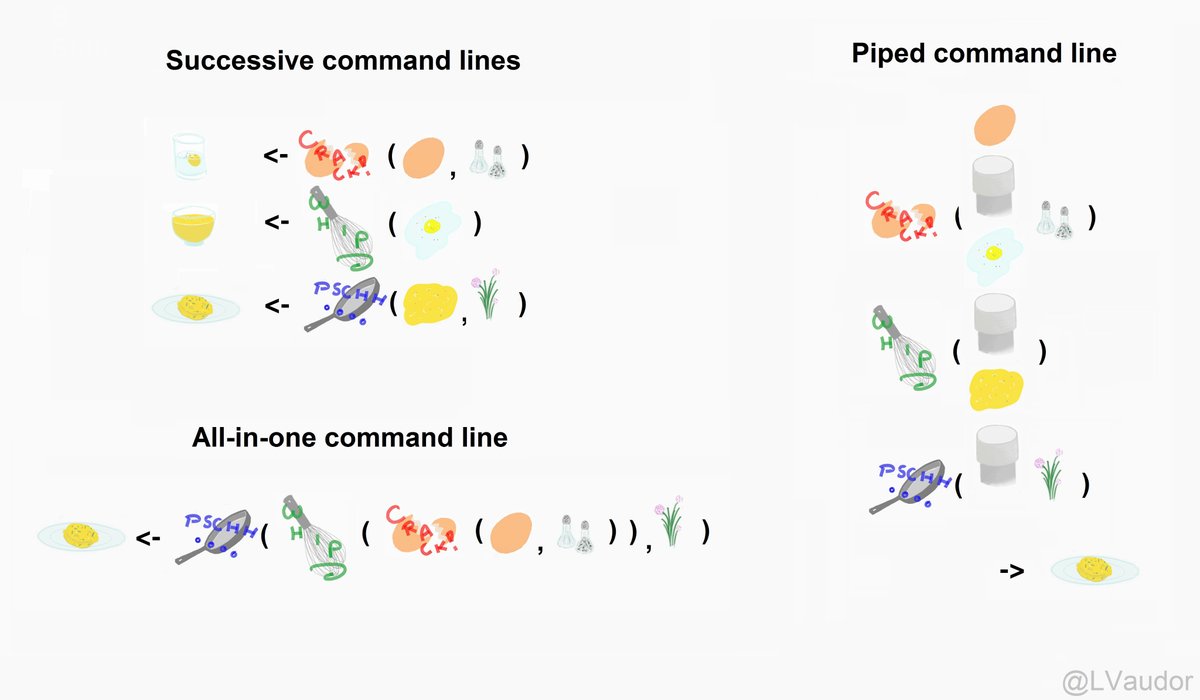
Pipes
The pipe:
passes the result of one step into the next step.
Read it as:
thenExample:
|> filter (Species == "White-tailed deer" ) |> count (Station)
A complete pipeline
<- c ("White-tailed deer" ,"Armadillo" ,"Racoon" ,"Hog" ,"Virginia opossum" <- recordTable |> filter (%in% common_species|> group_by (Species) |> summarise (records = n (),stations = n_distinct (Station),.groups = "drop" |> arrange (desc (records)
# A tibble: 5 × 3
  Species           records stations
  <chr>               <int>    <int>
1 White-tailed deer    1266       16
2 Armadillo             554       15
3 Racoon                522       11
4 Hog                   454       11
5 Virginia opossum      295        9
Summaries can become plots
ggplot (aes (x = Species,y = records,fill = Species+ geom_col (show.legend = FALSE + coord_flip () + theme_bw ()Use geom_col() when the counts already exist in the data.
Session workflow
import data
      ↓
inspect
      ↓
visualize
      ↓
debug when needed
      ↓
select / filter
      ↓
group / summarize
      ↓
visualize summaries
      ↓
export results
Debugging is part of R
You will see:
messages,
warnings,
errors.
That is normal.
The goal is not to avoid every error.
The goal is to learn how to understand and fix them.
Messages, warnings, errors
Message
R is telling you something.
Warning
R completed the operation, but something may need attention.
Error
R stopped because something went wrong.
Read the error
Example:
R may say:
Error: object 'grafics' not foundStart with the message.
What is R telling you?
Common things to check
Did I spell the object correctly?
Did I run the line that creates the object?
Is the object in the Environment?
Did I load the package?
Are parentheses and commas correct?
Is the file path correct?
Inspect the object
When code fails, check the object.
class (recordTable)str (recordTable)head (recordTable)names (recordTable)dim (recordTable)Do not only inspect the code.
Inspect the data being used by the code.
Search for the error
Most errors have happened to someone else before.
Useful search:
R ggplot2 object not foundLess useful search:
object not foundInclude:
R
package name
function name
important part of the error
Ask better questions
Not very useful:
My code does not work.Much more useful:
I am trying to make a bar plot of Species.

This is my code:

ggplot(recordTable, aes(x = Species))
  geom_bar()

This is the error:

Error: unexpected symbol

What should I check?
AI can be wrong
Always:
Read the suggested code.
Run it yourself.
Inspect the result.
Ask whether the result makes sense.
Check documentation when needed.
Do not copy and run code that you do not understand.
Practice at home
Before the next session:
Finish the Module 5 practice.
Read Module 6 and try the debugging exercises.
Complete the Module 7 practice.
Focus especially on:
filter()
select()
count()
group_by()
summarise()